
A look inside Tidal Shift for carriers — the real platform, loaded with a worked example. You’re not signed in and there’s nothing to set up — just scroll at your own pace. Not a council? See the councils tour.
Guided tour
A corridor from a carrier's perspective
Welcome to this guided mini-tour of Tidal Shift, a neutral reverse logistics coordination and chain-of-custody platform for hard-to-move materials. This will run you through some of its main features and where to find them once you're set up.
- Illustrated with
- 6 demonstration councils
- Corridor
- Alice Springs → Darwin
- Stops
- 7
- Time needed
- 10-15 minutes
Before you start
The screenshots below come from a demonstration corridor — six fictional councils on the real Stuart Highway, with a receiver in Darwin.
There is nothing to set up and nothing to click through to — just read and absorb as you go. Each stop names the feature it comes from, so you can see how the parts fit together.
Stop 01
Your dashboard
DashboardThe dashboard shows four counts: what you've accepted, what's in transit, what's available to take, and what you finished this month.
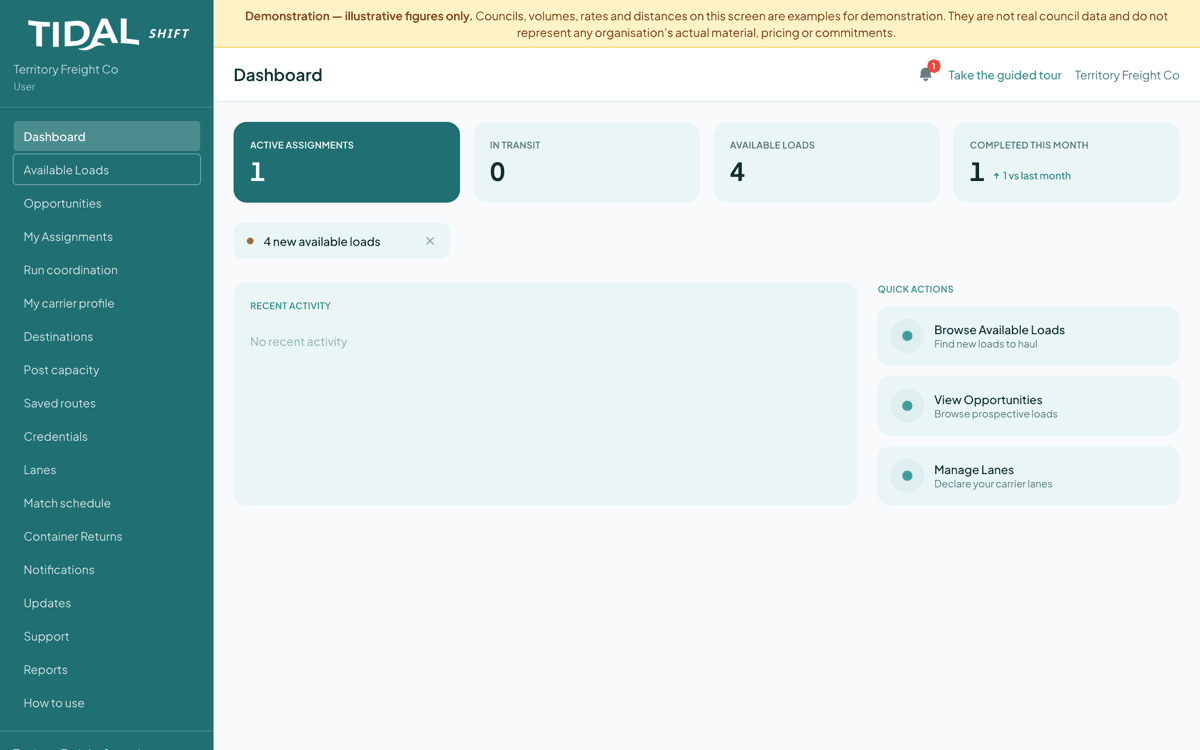
Available Loads is open work you could take. Look at
- Available Loads — open work available to you
- Active Assignments — what you already hold
- Quick actions — jump straight to browsing loads or managing your lanes
What this means
Councils always have materials to move. Until now they haven't had an easy way to show carriers it's available.
Stop 02
Several councils, several materials, one road
Available LoadsOpen work posted by councils, still unassigned. In this demonstration the four loads — e-waste, mattresses, whitegoods and batteries — come from four different councils. Each is small on its own; combined along one highway, they fill a truck.
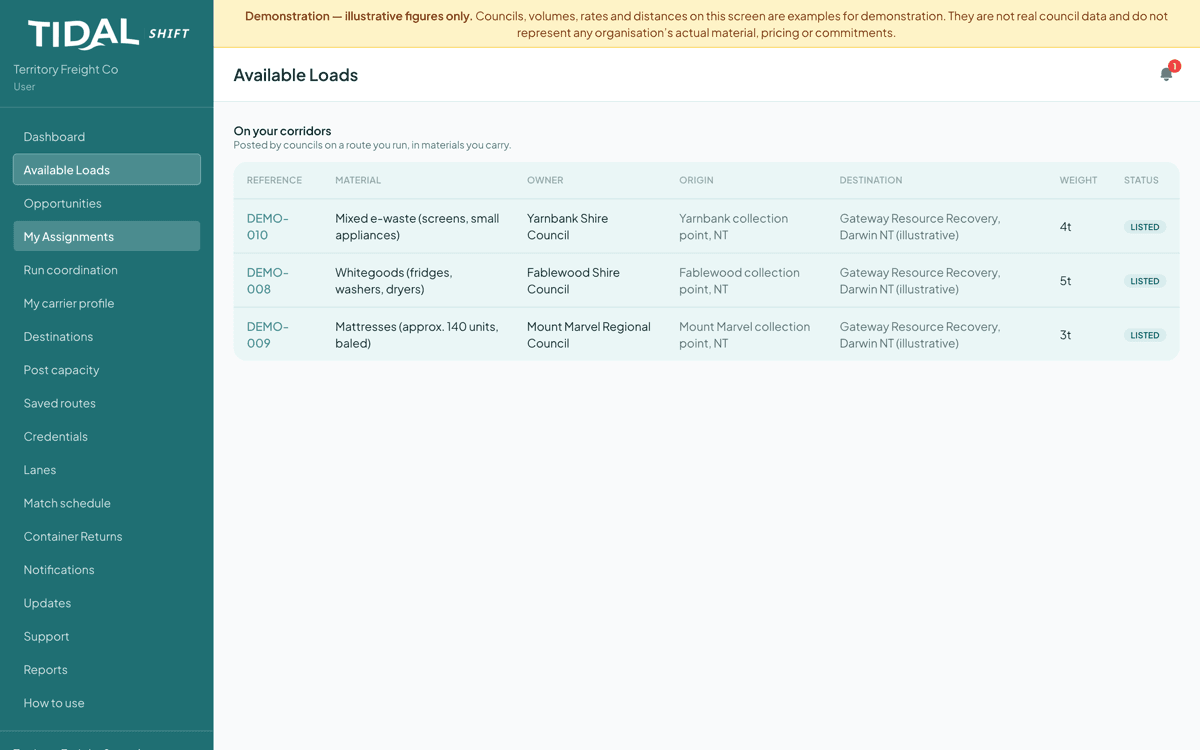
Four councils, four materials, all heading to the same receiver. Look at
- The Owner column — different councils
- The Destination column — often one receiver
- Weights: small on their own
What this means
Small quantities from several councils, combined into one load worth carrying. The material was there all along; what was missing was the coordination.
Stop 03
Prospective loads
OpportunitiesLoads pooling, with councils' anticipated pickup window. You can register interest and give an indicative rate — not a bid or a commitment, just a note that you'd be interested at roughly this price.
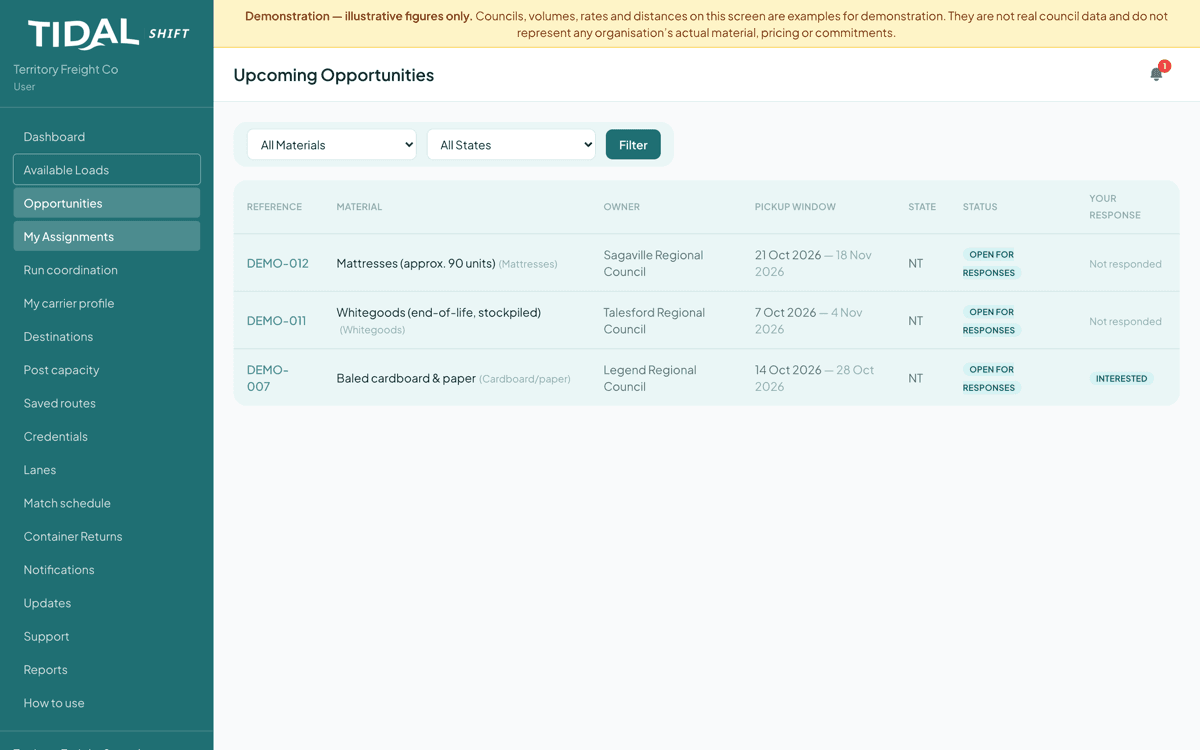
The right-hand column tracks whether you have responded. Look at
- Pickup window, not a fixed date — councils flex to fit your run
- The Your Response column
- Filter by material to see only what you handle
What this means
Timing is often a bigger problem than volume. Knowing weeks ahead lets you plan the run rather than arrange it at short notice.
Stop 04
Several councils arrive as one run
Run coordinationWhen councils on a corridor pool loads, the platform assembles it and offers it as a single job: one route, with a stop at each site, without the usual manual hassle.
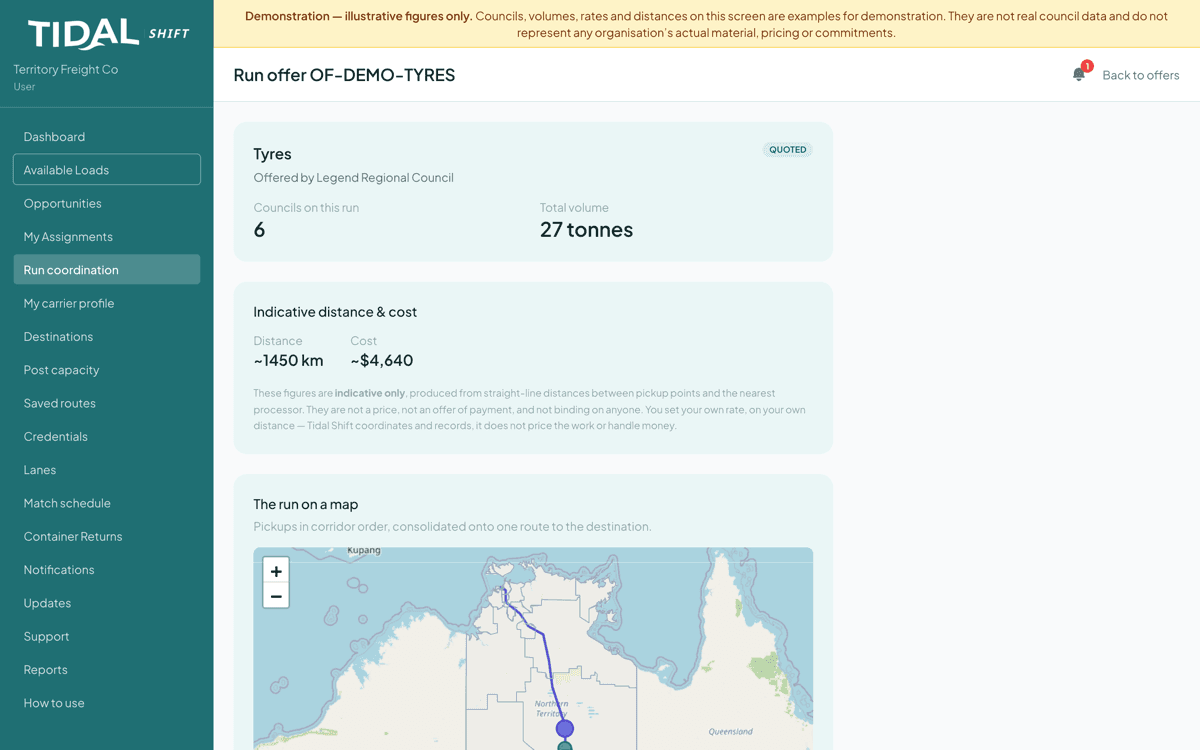
One offer, six councils. The map shows the pickups in corridor order. Look at
- Councils on this run, and the pooled volume
- The indicative figures, and the paragraph under them
- Pickups in corridor order
What this means
Councils on a corridor pool their loads into one run and send it to you. You quote; when they accept, the run is yours.
Stop 05
You post your empty capacity; councils are automatically notified
Post capacityThis screen starts with you rather than a council. If you're running back with empty space, post it — the councils on that route are notified and can offer material into it.
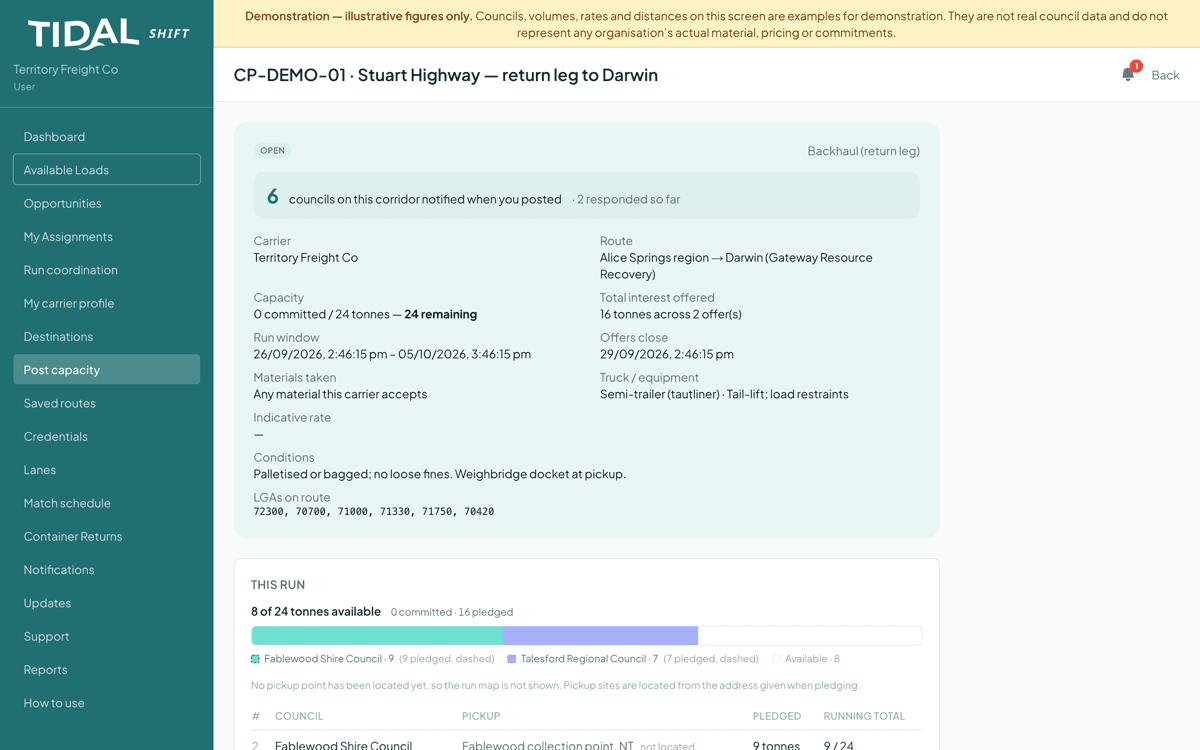
The bar is your truck; the segments are councils pledging into it. Look at
- How many councils were notified, and how many responded
- The fill bar — pledged against capacity
- You choose which pledges to take, and confirm your own rate
What this means
An empty return leg still costs you. Posting it lets councils find and pay into that space — revenue on kilometres you're already driving.
Stop 06
What your profile looks like to councils
My carrier profileYour standing profile: the runs you already make, the materials you'll take, your conditions of carriage, your rate card. You write it once, and every council on your corridor can read it rather than asking each time.
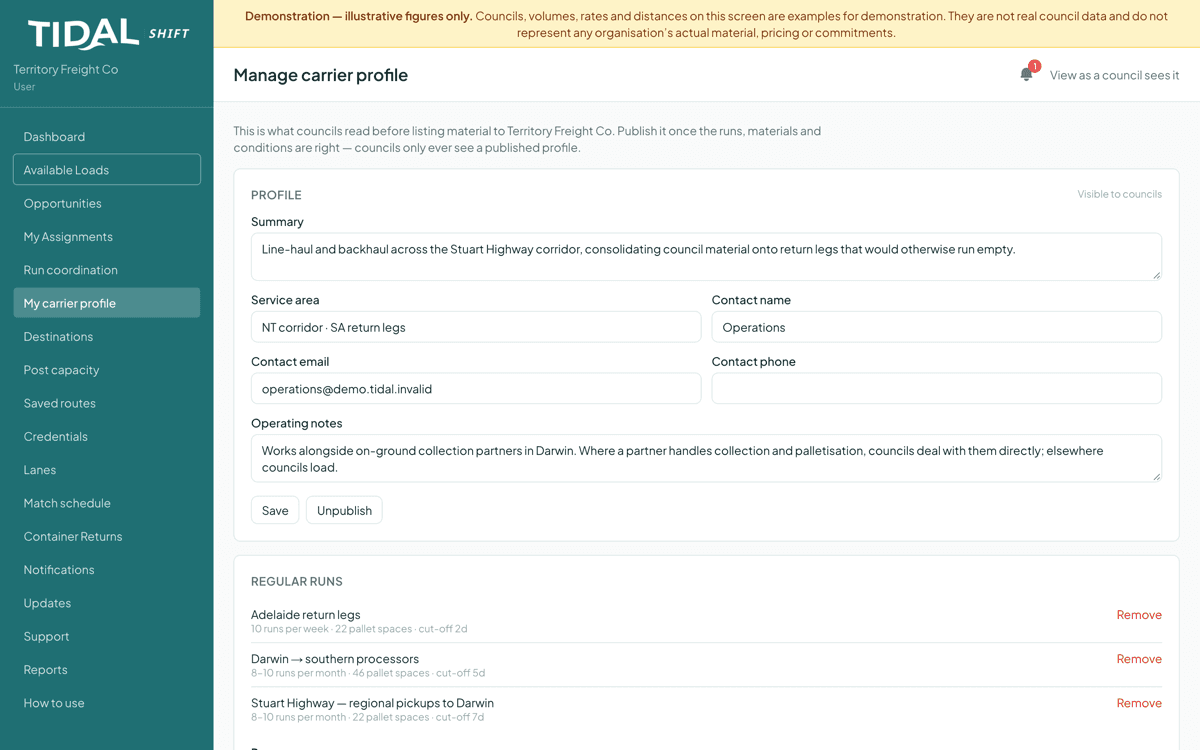
“View as a council sees it” shows exactly what they read. Look at
- Regular runs — frequency, capacity, cut-off
- Operating notes — who loads, and where you need a hand
- Conditions of carriage, published and versioned
What this means
Councils often hold back when they're unsure what you'll accept or how you want it presented. Setting it out here means material is more likely to arrive the way you need it.
Stop 07
Chain of custody record
My AssignmentsA completed collection: counted onto the truck, counted off, variance recorded, photographs at both ends. It's the full automated traceability record for transparency and verification.
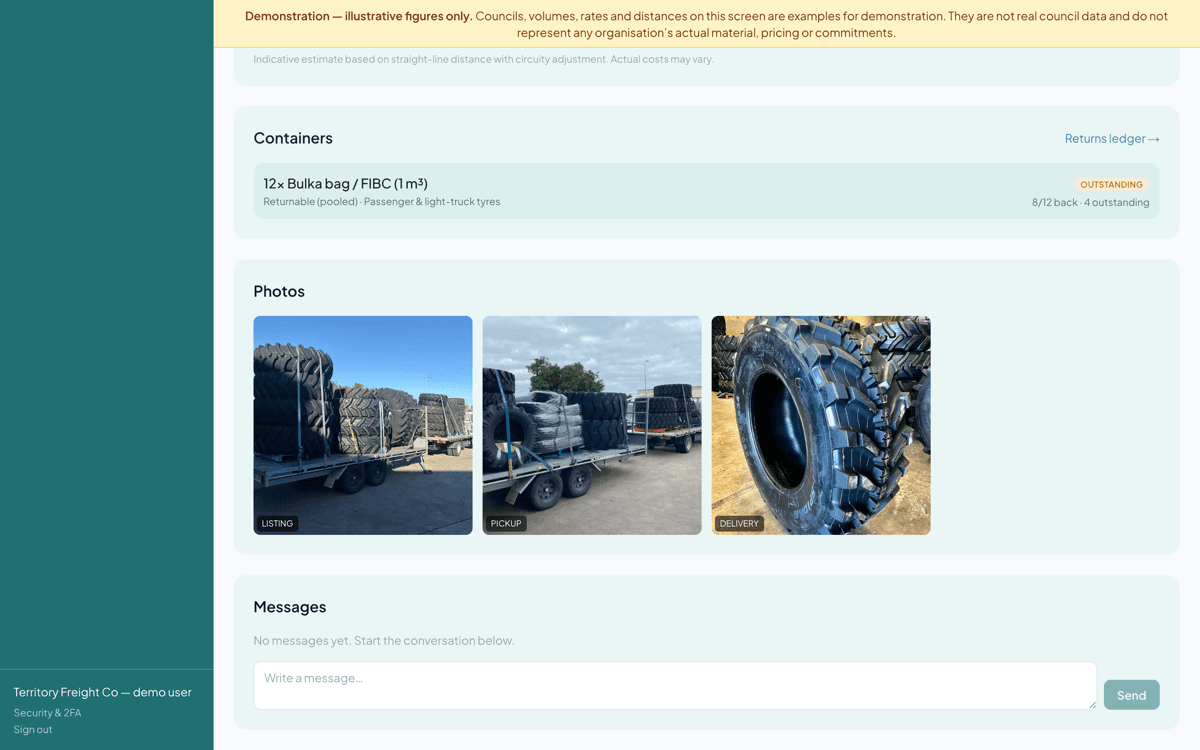
Reconciled at both ends. Above it, the rate panel — Tidal Shift records what you agreed, it does not set it. Look at
- Counts at both ends, and the variance between them
- The agreed-rate panel: you record what you agreed, off-platform
- Custody photos at each step: listing, pickup, and delivery
What this means
A clear custody record verifies where materials went without the manual burden, produced as a byproduct of the material movement.
What else is in there
The 7 stops are the shape of it. These are the features that fill in around them.
- Credentials
- Your transport licences. For listed materials, your verified licence is shown so councils can see you're eligible for the work.
- Lanes
- The corridors you run, so relevant work can find you.
- Match schedule
- Upload next month's runs and see which listed loads fit them.
- Destinations
- Where your runs deliver, declared once so councils can verify the receiver.
- Container returns
- Reusable containers that went out and haven't all come back, ready to bring back on a return run.
- Reports
- Your operating history, and a regulator waste-tracking export.
What Tidal Shift does not do
It never touches your money
Tidal Shift is not a party to your contract with a council. It does not set rates, take a margin on freight, or move payments. Every figure shown is indicative; the rate is whatever you and the council agree, recorded so both sides see the same version.
Ready to see your own corridor?
Tell us what you move, where it starts and where it needs to go, and we’ll get you set up.